ML Models Exercise

Load data and packages.

# Load packages. 
library(ggplot2)
library(tidyverse)
── Attaching core tidyverse packages ──────────────────────── tidyverse 2.0.0 ──
✔ dplyr     1.1.4     ✔ readr     2.1.6
✔ forcats   1.0.1     ✔ stringr   1.6.0
✔ lubridate 1.9.4     ✔ tibble    3.3.1
✔ purrr     1.2.1     ✔ tidyr     1.3.2
── Conflicts ────────────────────────────────────────── tidyverse_conflicts() ──
✖ dplyr::filter() masks stats::filter()
✖ dplyr::lag()    masks stats::lag()
ℹ Use the conflicted package (<http://conflicted.r-lib.org/>) to force all conflicts to become errors
library(tidymodels)
── Attaching packages ────────────────────────────────────── tidymodels 1.4.1 ──
✔ broom        1.0.12     ✔ rsample      1.3.2 
✔ dials        1.4.2      ✔ tailor       0.1.0 
✔ infer        1.1.0      ✔ tune         2.0.1 
✔ modeldata    1.5.1      ✔ workflows    1.3.0 
✔ parsnip      1.4.1      ✔ workflowsets 1.1.1 
✔ recipes      1.3.1      ✔ yardstick    1.3.2 
── Conflicts ───────────────────────────────────────── tidymodels_conflicts() ──
✖ scales::discard() masks purrr::discard()
✖ dplyr::filter()   masks stats::filter()
✖ recipes::fixed()  masks stringr::fixed()
✖ dplyr::lag()      masks stats::lag()
✖ yardstick::spec() masks readr::spec()
✖ recipes::step()   masks stats::step()
library(here)
here() starts at C:/Users/aniss/Desktop/anissawallerdelvalle-portfolio
# Set random seet. 
set.seed(1234)
rngseed <- 1234

# Load the cleaned dataset from fitting-exercise.qmd. 

model_data <- readRDS(here("ml-models-exercise", "model_data.rds"))

# Inspect the data 
glimpse(model_data)
Rows: 120
Columns: 7
$ Y    <dbl> 2690.52, 2638.81, 2149.61, 1788.89, 3126.37, 2336.89, 3007.20, 27…
$ DOSE <dbl> 25.0, 25.0, 25.0, 25.0, 25.0, 25.0, 25.0, 25.0, 25.0, 25.0, 25.0,…
$ AGE  <dbl> 42, 24, 31, 46, 41, 27, 23, 20, 23, 28, 46, 22, 43, 50, 19, 26, 3…
$ SEX  <fct> 1, 1, 1, 2, 2, 1, 1, 1, 1, 1, 1, 1, 2, 2, 1, 1, 1, 1, 1, 1, 1, 1,…
$ RACE <fct> 2, 2, 1, 1, 2, 2, 1, 88, 2, 1, 1, 1, 1, 1, 2, 2, 1, 1, 1, 1, 1, 1…
$ WT   <dbl> 94.3, 80.4, 71.8, 77.4, 64.3, 74.1, 87.9, 61.9, 65.3, 103.5, 83.0…
$ HT   <dbl> 1.769997, 1.759850, 1.809847, 1.649993, 1.560052, 1.829862, 1.850…
# Recode the RACE variable such that it combines categories 7 and 88. This will be put into a category called 3. 

model_data <- model_data %>%
  mutate(
    RACE = case_when(
      RACE %in% c(7, 88) ~ 3, # combines both categories into a new group 
      TRUE ~ as.numeric(RACE) # keep other values unchanged 
    ),
    RACE = factor(RACE)
  )

# Check. Expect to see only 1, 2, and 3. 

count(model_data, RACE)
# A tibble: 3 × 2
  RACE      n
  <fct> <int>
1 1        74
2 2        36
3 3        10

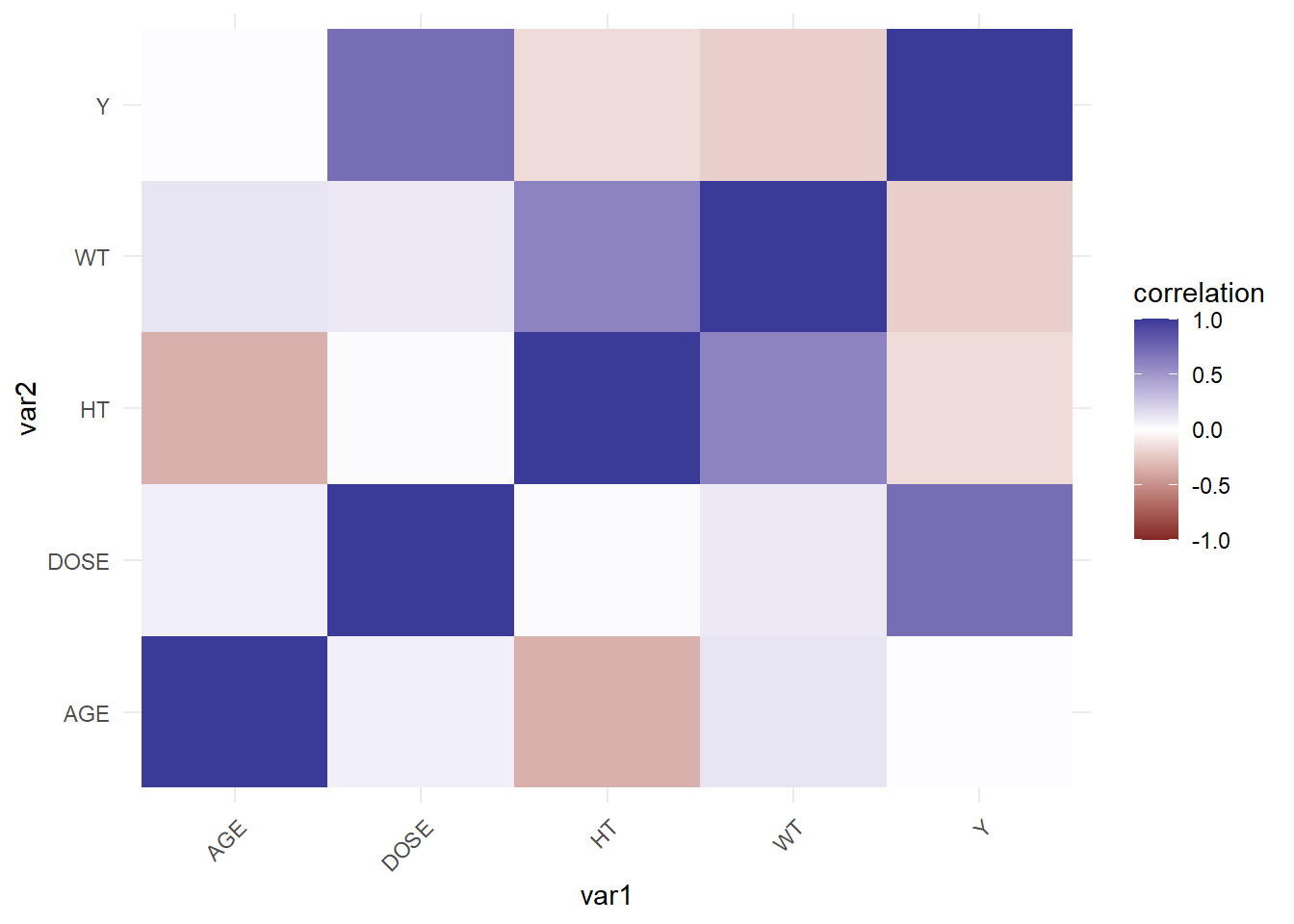
Pairwise Correlations

# Select numeric variables only
num_data <- model_data %>%
  select(where(is.numeric))

# Correlation matrix
cor_mat <- cor(num_data, use = "complete.obs")

# Convert to long format for plotting
cor_long <- as_tibble(cor_mat, rownames = "var1") %>%
  pivot_longer(-var1, names_to = "var2", values_to = "correlation")

# Plot
ggplot(cor_long, aes(var1, var2, fill = correlation)) +
  geom_tile() +
  scale_fill_gradient2(limits = c(-1, 1)) +
  theme_minimal() +
  theme(axis.text.x = element_text(angle = 45, hjust = 1))

Feature Engineering

# Compute BMI assuming HT in cm and WT in kg: BMI = weight(kg) / (height(m)^2)
model_data <- model_data %>%
  mutate(BMI = WT / ( (HT/100)^2 ))

glimpse(model_data)
Rows: 120
Columns: 8
$ Y    <dbl> 2690.52, 2638.81, 2149.61, 1788.89, 3126.37, 2336.89, 3007.20, 27…
$ DOSE <dbl> 25.0, 25.0, 25.0, 25.0, 25.0, 25.0, 25.0, 25.0, 25.0, 25.0, 25.0,…
$ AGE  <dbl> 42, 24, 31, 46, 41, 27, 23, 20, 23, 28, 46, 22, 43, 50, 19, 26, 3…
$ SEX  <fct> 1, 1, 1, 2, 2, 1, 1, 1, 1, 1, 1, 1, 2, 2, 1, 1, 1, 1, 1, 1, 1, 1,…
$ RACE <fct> 2, 2, 1, 1, 2, 2, 1, 3, 2, 1, 1, 1, 1, 1, 2, 2, 1, 1, 1, 1, 1, 1,…
$ WT   <dbl> 94.3, 80.4, 71.8, 77.4, 64.3, 74.1, 87.9, 61.9, 65.3, 103.5, 83.0…
$ HT   <dbl> 1.769997, 1.759850, 1.809847, 1.649993, 1.560052, 1.829862, 1.850…
$ BMI  <dbl> 301000, 259600, 219200, 284300, 264200, 221300, 256800, 206800, 2…

Model Building

# Recipe
# glmnet requires a numeric output. Since some variables are not numeric, we will use step_dummy(). 
rec <- recipe(Y ~ ., data = model_data) %>%
  step_dummy(all_nominal_predictors())

# Models
lm_mod <- linear_reg() %>%
  set_engine("lm")

lasso_mod <- linear_reg(penalty = 0.1, mixture = 1) %>%
  set_engine("glmnet")

rf_mod <- rand_forest() %>%
  set_engine("ranger", seed = rngseed) %>%
  set_mode("regression")
# Workflows
lm_wf <- workflow() %>%
  add_model(lm_mod) %>%
  add_recipe(rec)

lasso_wf <- workflow() %>%
  add_model(lasso_mod) %>%
  add_recipe(rec)

rf_wf <- workflow() %>%
  add_model(rf_mod) %>%
  add_recipe(rec)
# Fit models
lm_fit <- fit(lm_wf, data = model_data)
lasso_fit <- fit(lasso_wf, data = model_data)
rf_fit <- fit(rf_wf, data = model_data)
# Predictions + RMSE
get_metrics <- function(fit, data) {
  preds <- predict(fit, data) %>%
    bind_cols(data %>% select(Y))
  
  rmse_val <- rmse(preds, truth = Y, estimate = .pred)
  
  list(preds = preds, rmse = rmse_val)
}

lm_res <- get_metrics(lm_fit, model_data)
lasso_res <- get_metrics(lasso_fit, model_data)
rf_res <- get_metrics(rf_fit, model_data)

lm_res$rmse
# A tibble: 1 × 3
  .metric .estimator .estimate
  <chr>   <chr>          <dbl>
1 rmse    standard        572.
lasso_res$rmse
# A tibble: 1 × 3
  .metric .estimator .estimate
  <chr>   <chr>          <dbl>
1 rmse    standard        572.
rf_res$rmse
# A tibble: 1 × 3
  .metric .estimator .estimate
  <chr>   <chr>          <dbl>
1 rmse    standard        382.
# Observed vs predicted plots
plot_obs_pred <- function(res, title) {
  ggplot(res$preds, aes(x = Y, y = .pred)) +
    geom_point(alpha = 0.5) +
    geom_abline(slope = 1, intercept = 0, color = "red") +
    labs(title = title) +
    theme_minimal()
}

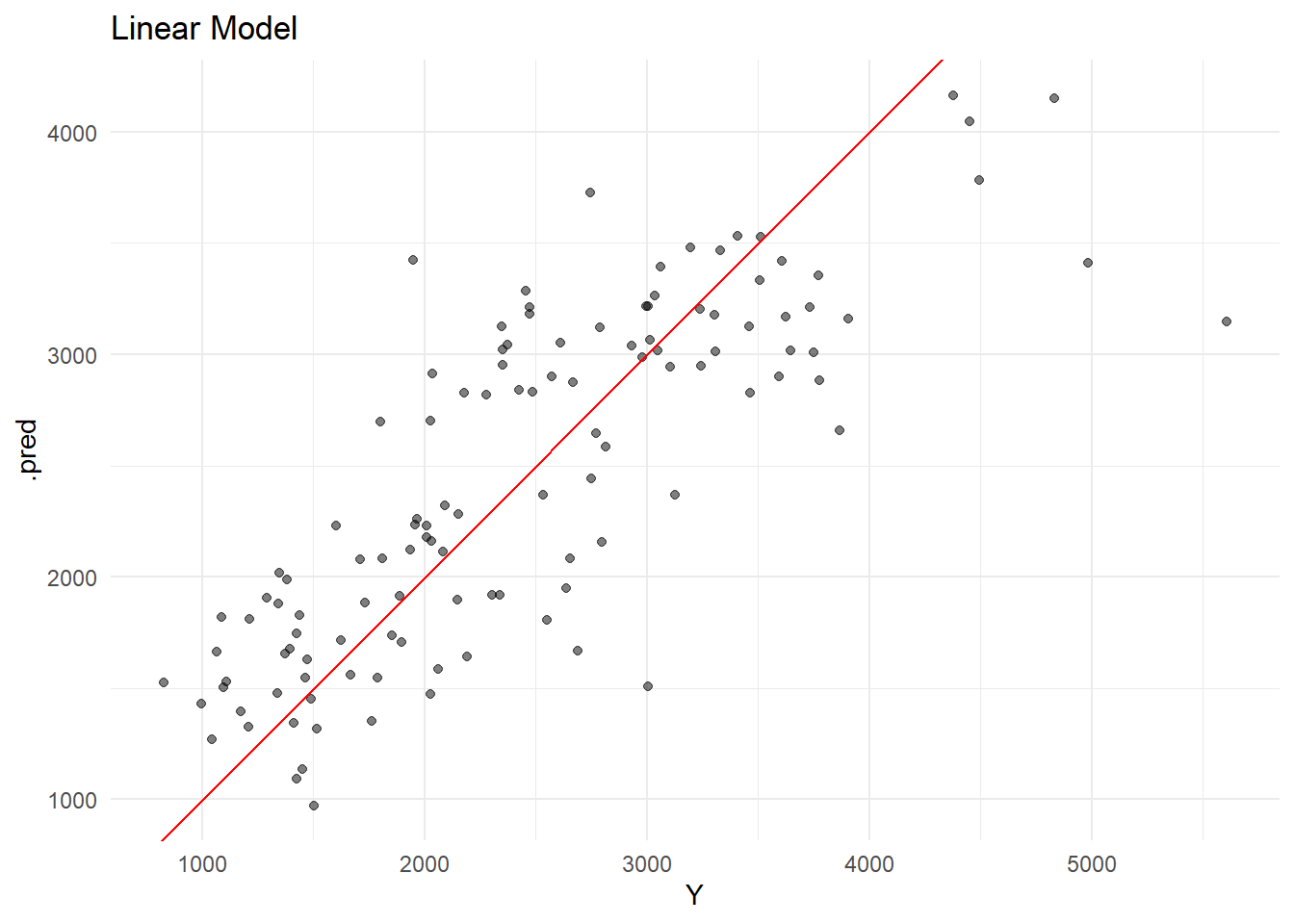
plot_obs_pred(lm_res, "Linear Model")

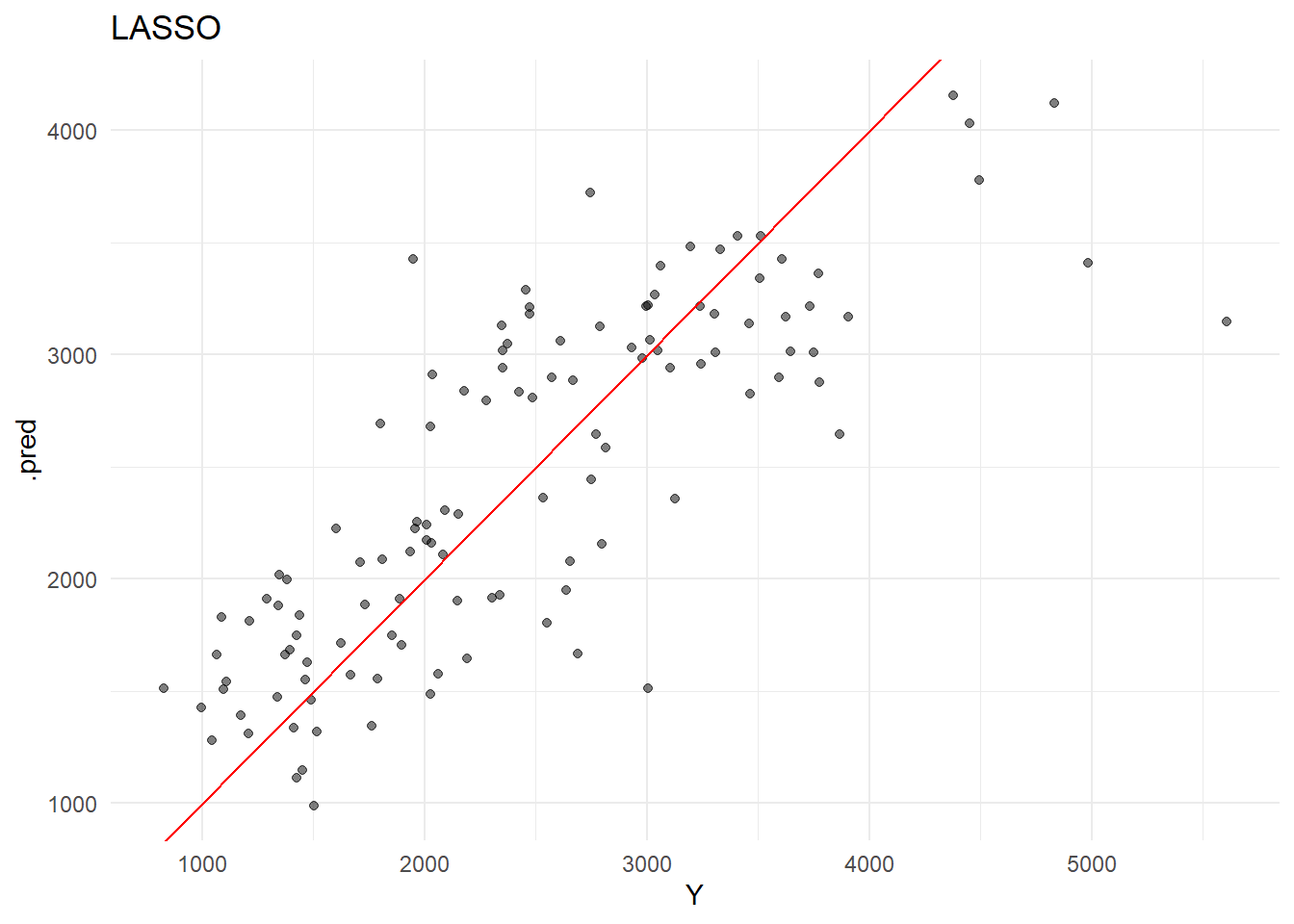
plot_obs_pred(lasso_res, "LASSO")

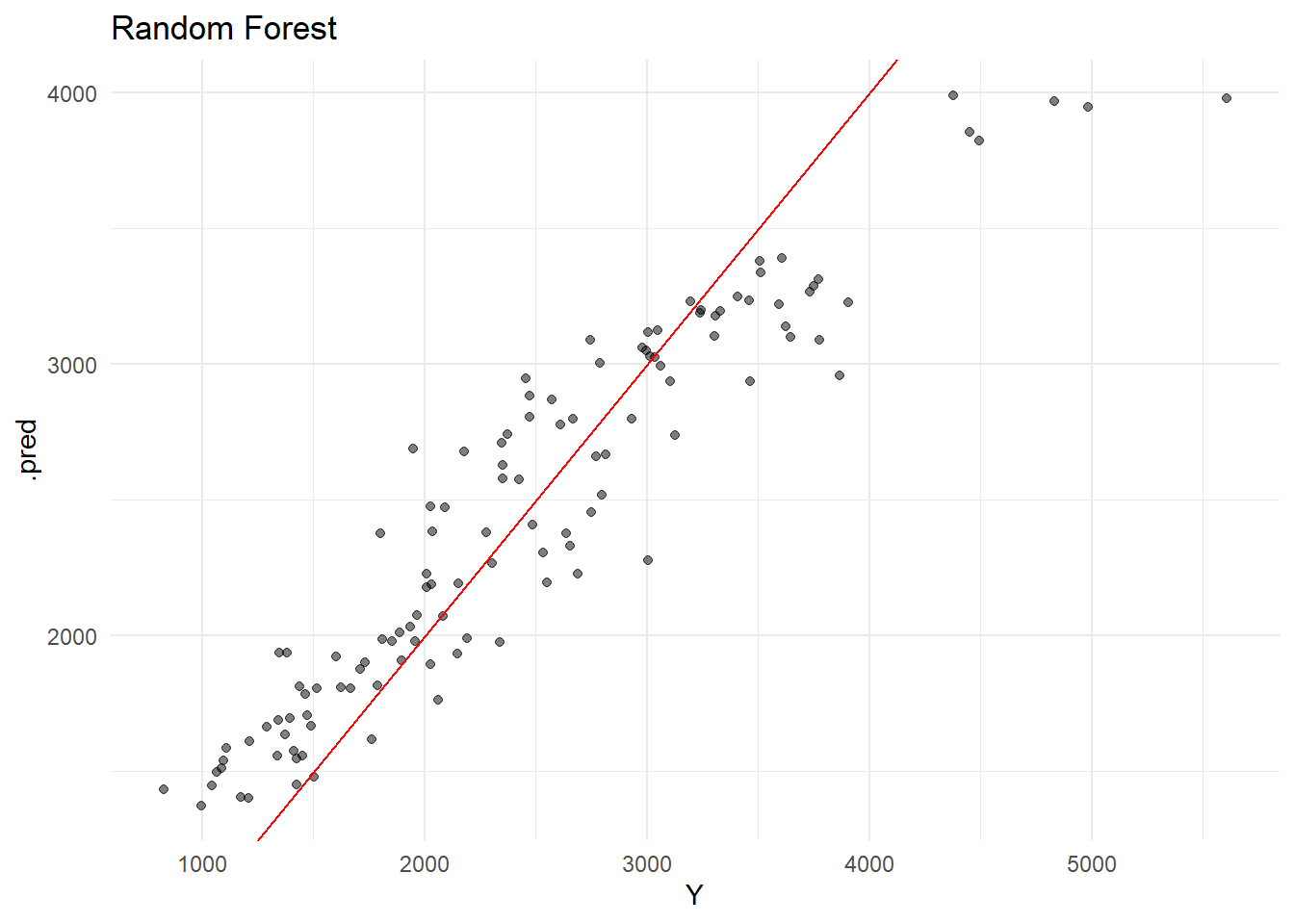
plot_obs_pred(rf_res, "Random Forest")

Tuning (without CV)

# LASSO grid
lasso_grid <- tibble(
  penalty = 10^seq(-5, 2, length.out = 50)
)

lasso_tune_mod <- linear_reg(
  penalty = tune(),
  mixture = 1
) %>%
  set_engine("glmnet")

lasso_tune_wf <- workflow() %>%
  add_model(lasso_tune_mod) %>%
  add_recipe(rec)

lasso_tune_res <- tune_grid(
  lasso_tune_wf,
  resamples = apparent(model_data),
  grid = lasso_grid
)

# autoplot() skipped because only one metric value is available. Portfolio will not render. Using try() or tryCatch() does not resolve the issue. 

Unfortunately, autoplot() will not run, as there is only one observation per metric presen and no meaningful plot can be created. Instead, I will use ggplot().

lasso_metrics <- collect_metrics(lasso_tune_res)

ggplot(lasso_metrics, aes(x = penalty, y = mean)) +
  geom_point() +
  geom_line() +
  scale_x_log10() +
  labs(
    title = "LASSO Tuning (RMSE vs Penalty)",
    y = "RMSE"
  ) +
  theme_minimal()
Warning: Removed 50 rows containing missing values or values outside the scale range
(`geom_point()`).
Warning: Removed 50 rows containing missing values or values outside the scale range
(`geom_line()`).

# RF tuning
rf_tune_mod <- rand_forest(
  mtry = tune(),
  min_n = tune(),
  trees = 300
) %>%
  set_engine("ranger", seed = rngseed) %>%
  set_mode("regression")

rf_tune_wf <- workflow() %>%
  add_model(rf_tune_mod) %>%
  add_recipe(rec)

rf_grid <- grid_regular(
  mtry(range = c(1, 7)),
  min_n(range = c(1, 21)),
  levels = 7
)

rf_tune_res <- tune_grid(
  rf_tune_wf,
  resamples = apparent(model_data),
  grid = rf_grid
)

Autoplot() did not work, for the same reason listed above.

rf_metrics <- collect_metrics(rf_tune_res)

ggplot(rf_metrics, aes(x = mtry, y = min_n, fill = mean)) +
  geom_tile() +
  labs(
    title = "Random Forest Tuning (RMSE)",
    fill = "RMSE"
  ) +
  theme_minimal()

Tuning (with CV)

set.seed(1234)

cv_folds <- vfold_cv(model_data, v = 5, repeats = 5)

lasso_cv_res <- tune_grid(
  lasso_tune_wf,
  resamples = cv_folds,
  grid = lasso_grid
)

rf_cv_res <- tune_grid(
  rf_tune_wf,
  resamples = cv_folds,
  grid = rf_grid
)
# LASSO CV
lasso_cv_metrics <- collect_metrics(lasso_cv_res)

ggplot(lasso_cv_metrics, aes(x = penalty, y = mean)) +
  geom_point() +
  geom_line() +
  scale_x_log10() +
  labs(title = "LASSO CV Tuning", y = "RMSE") +
  theme_minimal()

# RF CV
rf_cv_metrics <- collect_metrics(rf_cv_res)

ggplot(rf_cv_metrics, aes(x = mtry, y = min_n, fill = mean)) +
  geom_tile() +
  labs(title = "RF CV Tuning", fill = "RMSE") +
  theme_minimal()

Discussion

The linear model and the LASSO model produced similar RMSE values (~570). This is expected, as the penalty for the LASSO model was set to a relatively small model, making it behave similarly to a simple linear regression.

The random forest model had a much lower RMSE (~380), indicating a much better fit. The improved performance may be due to the flexibility of random forests, which capture things (e.g., nonlinear relationships) that linear models cannot.

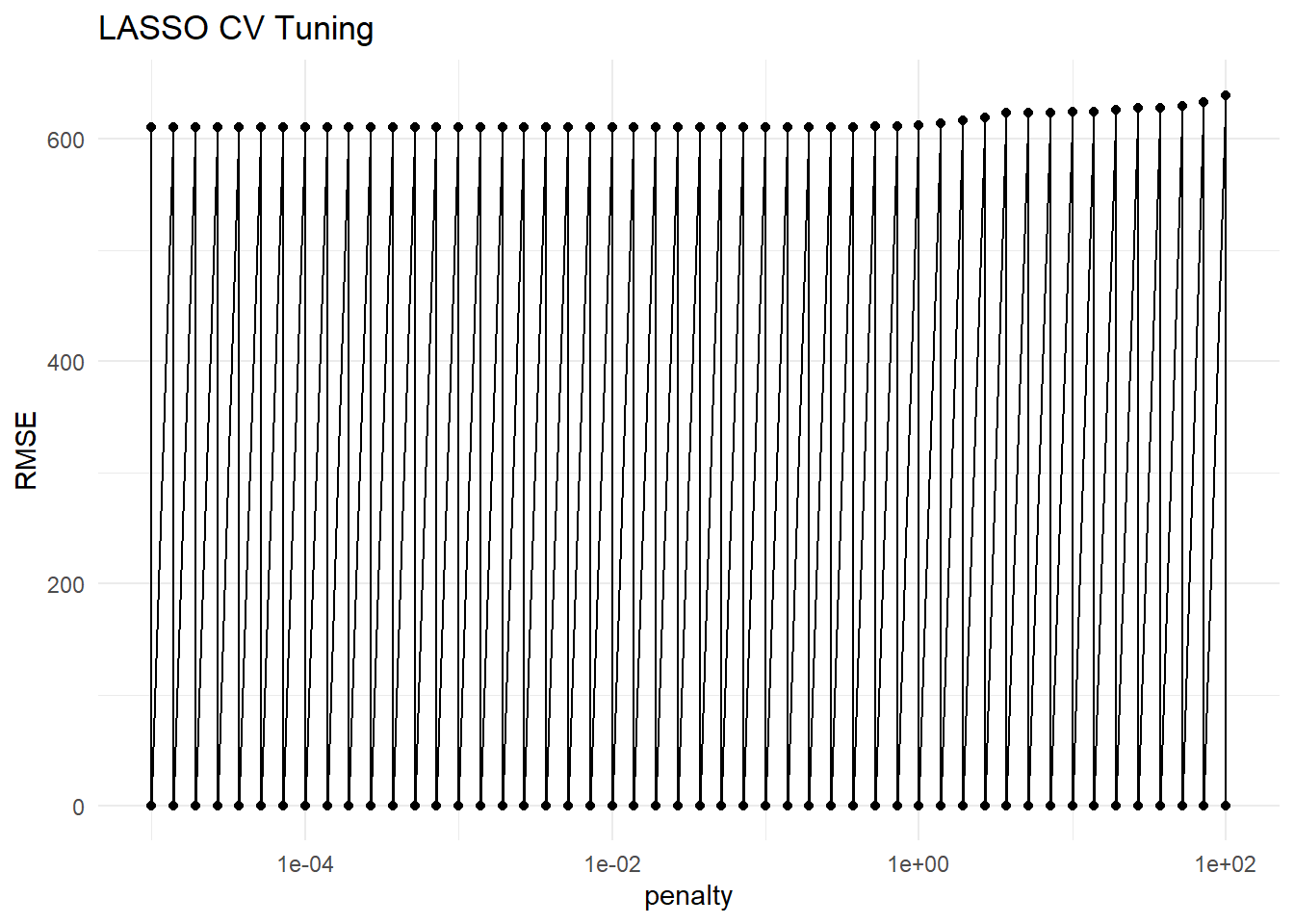
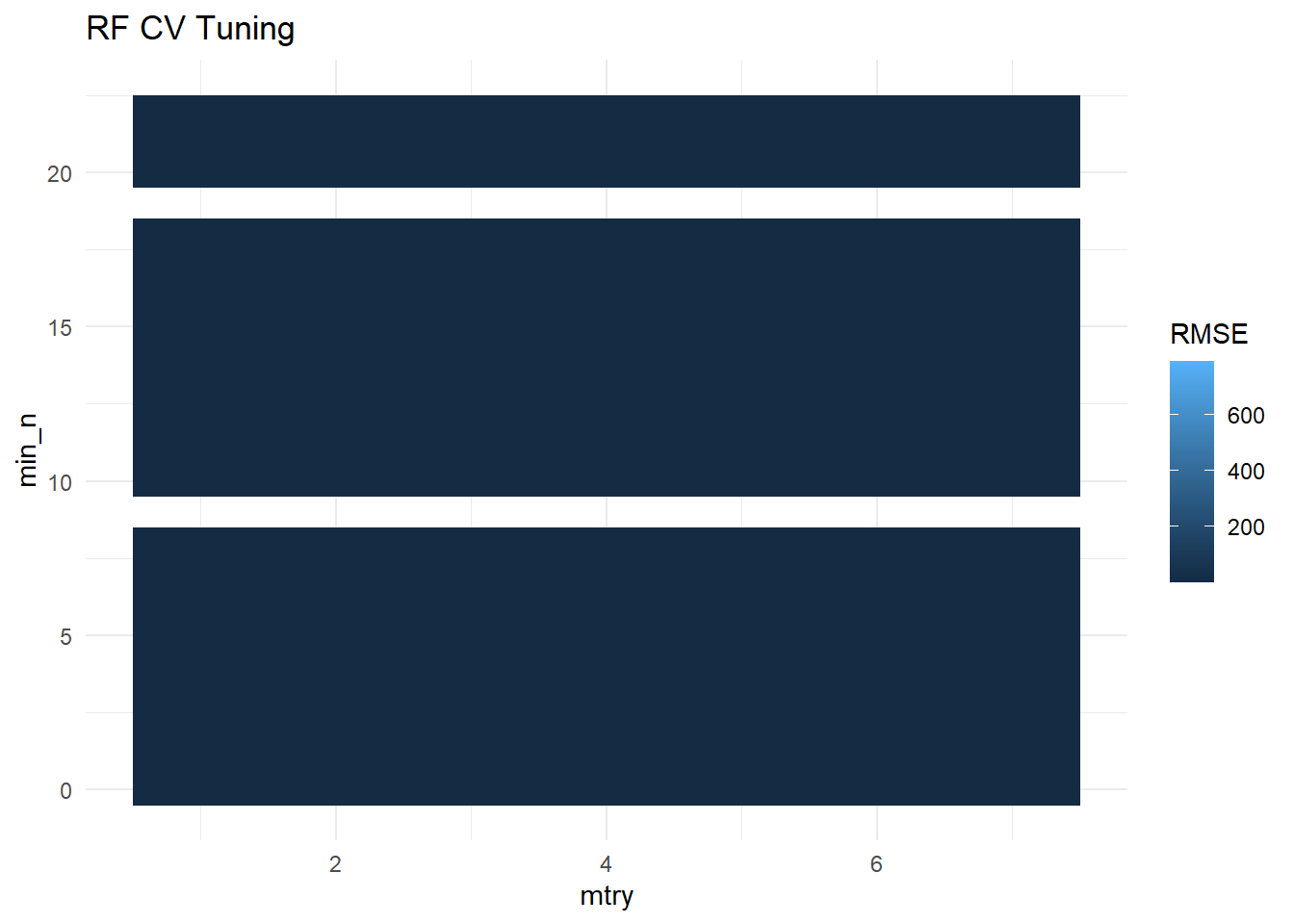
When using the apparent resampling method, both LASSO and RF appeared to perform well. When cross-validation was applied, RMSE values increased, reflecting out-of-sample performances. Under CV, the LASSO model performed the best, and RF is no longer superior. Combined, these results suggest that there may have been some overfitting with the RF model.

Overall, these results indicate that complex models (e.g., RF) can fit trained data well, while simpler models (e.g., LASSO) often provide better generalization. Tuning and parameters greatly influence both models.